A Winamp Alternative for Mac
Visualizers that dance to the music, an equalizer to tweak, a small window that stays on top: what made Winamp so popular, you will find on the Mac in Ampado.
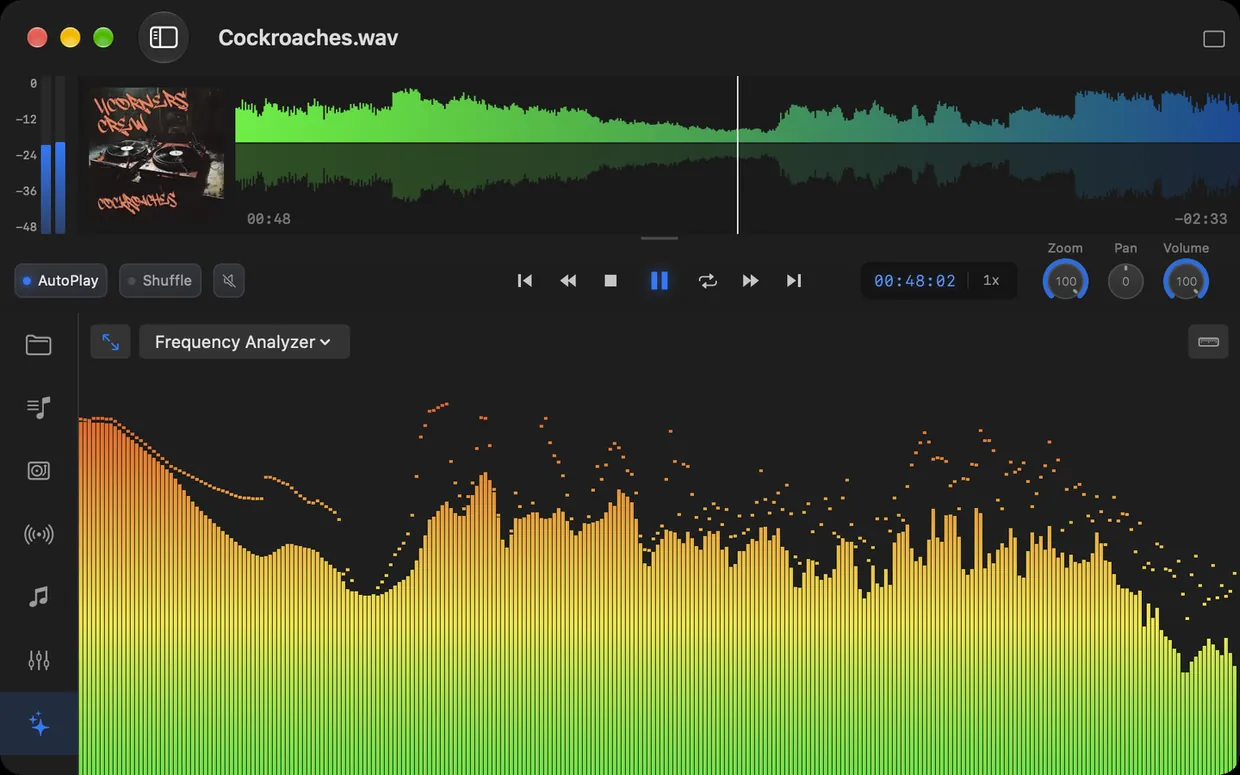
The Frequency Analyzer in Ampado PRO
If you listened to music on a computer in the late nineties or the 2000s, you know Winamp. A small window, an equalizer, a playlist, and Milkdrop, which made the screen explode in colors along with the music. Winamp was fast, simple and just did what it was supposed to: play your music files.
Winamp grew up as a Windows program, and the classic player never really felt at home on the Mac. Apple's Music app goes in a completely different direction: library, streaming, import. If you just want to open a folder, crank up the equalizer and see your music, you won't find that there. That is exactly what Ampado is for.
What made Winamp so special
When people say they miss Winamp, they rarely mean the logo. They mean a few very specific things:
- •Visualizers. Milkdrop and friends turned music into a light show, preferably in fullscreen.
- •The equalizer. Ten sliders, a few presets, and the music sounded the way you wanted it to.
- •Small and fast. A compact window that fit into any corner and started instantly.
- •Files and playlists instead of a library. Drop in a folder, load an M3U playlist, play. No import, no account.
The Winamp feeling in Ampado
Ampado is not a Winamp clone, but a modern, native music player for macOS. It follows the same idea, though: your files, played fast, with visuals and full control. Here is where you find the Winamp classics in Ampado.
Visualizers in the spirit of Milkdrop
Ampado PRO comes with a whole range of visuals that react to your music in real time. For analysis there are the Frequency Analyzer, LED HiFi, the 3D Frequency Landscape and the two oscilloscopes. For the party there are colorful shader effects that really shine in fullscreen. It isn't Milkdrop, but it is exactly the feeling from back then: music you can see.
An equalizer to tweak
The 10+1 band equalizer in Ampado PRO has presets for different listening styles. With version 6 you can also save your own presets, reorder them by drag and drop and export them as a file to share them or use them on another Mac. The spectrum runs behind the sliders, so you see right away what you are changing.
Small, and always on top
The little Winamp window at the edge of the screen lives on in the compact modes of Ampado PRO: Waveform, VisualFX, EQ, an MP3 player with large cover art and a list. With “Always on Top”, the window stays above all others while you work. Read more in the article about compact mode.
Your old playlists
Winamp saved its playlists as M3U or PLS. Ampado PRO imports exactly these formats, plus M3U8, XSPF and TXT. If the playlists come from an old Windows PC, the paths will of course no longer match. Just show Ampado the folder where your music lives today, and it searches for the missing tracks there.
Internet radio
Internet radio was part of Winamp too. In Ampado you find thousands of stations by genre, save favorites and add your own stream URLs. Since version 6, internet radio is fully unlocked in the free version as well.
Everything by keyboard
Play, jump, zoom, change the volume: in Ampado PRO you set all keyboard shortcuts yourself. That way you control your music without touching the mouse.

I'm impressed by this little all round fast responding audio player which seems to be able to export in wav & aac incl bitrate adjustments etc as well. Love the visable waveform that you can zoom into and skip, needle drop style without delays. There's a multiband EQ inside and a on music responding multi option-able visualizer which reminds me of the old winamp / milkdrop days. Right? Do yourself a favour, buy this thing :)
What Ampado does differently
Some things Winamp didn't have, and some things Ampado deliberately doesn't have:
- •The waveform. Instead of a thin progress bar, you see the whole song as a waveform, zoom in and jump to any point with one click.
- •New formats and sources. Besides MP3, Ampado also plays FLAC, WAV, AIFF, OGG, Opus and more, plus Apple Music and internet radio. How this works with FLAC is explained in Play FLAC on Your Mac.
- •New things from the DJ booth. The Auto DJ mixes your songs with crossfades, and the loudness analysis measures LUFS and True Peak.
- •No skins. You can customize Ampado with color themes, the Glass theme and your own waveform colors. Winamp-style skins, however, are not available, Ampado looks like a Mac app.
And of course Ampado is built natively for macOS. It starts fast, stays smooth even with large folders and feels at home on the Mac.
Frequently asked questions
Is there Winamp for Mac?
Winamp became famous as a Windows program, and the classic player never really felt at home on the Mac. If you are looking for visualizers, an equalizer and a fast, file-based player on the Mac, you will find them in Ampado.
Can I open my old Winamp playlists?
Yes. Ampado PRO imports playlists in M3U, M3U8, PLS, XSPF and TXT format. If your songs are now in a different folder than back then, Ampado searches for the missing tracks in the folder you choose.
Can Ampado load Milkdrop presets?
No, Ampado has its own visualizers: frequency analyzers, oscilloscopes and shader effects that react to the music in real time and also run in fullscreen.
How much does Ampado cost?
Ampado (lite) is free and plays your files, internet radio and Apple Music with a waveform. Visualizers, equalizer, playlists and compact modes are part of Ampado PRO, a one-time purchase with no subscription. Current prices are in the price comparison.
Ampado PRO: buy once, use forever
Visualizers, an equalizer with your own presets, compact modes, playlist import and everything else come with Ampado PRO for a one-time $7.99, no subscription. Just like back then: you buy a player and you use it. If you want to try it first, start with the free version, Ampado (lite).