New Visualizers: Oscilloscope and Oscilloscope XY
Two new visualizers show your audio signal the way it is viewed in the studio: as a waveform in real time and as a stereo image. Plus, new scales for the Frequency Visualizers.
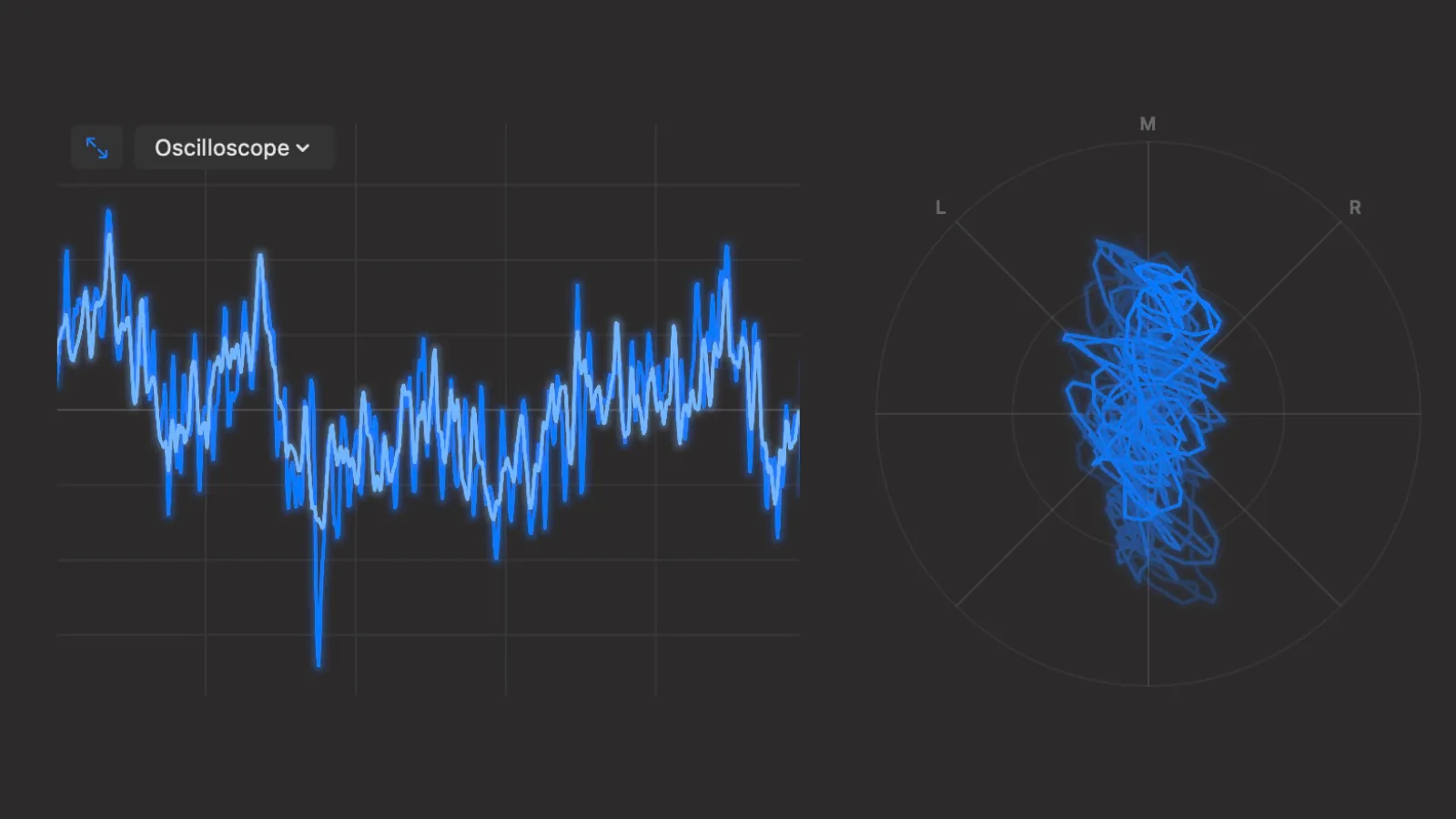
The new Oscilloscope and Oscilloscope XY visualizers in Ampado PRO
The visualizers in Ampado PRO range from classic frequency analysis to colorful shader effects. One request came from the community: an oscilloscope. With this update, there are two of them, the Oscilloscope and the Oscilloscope XY.
You will find both in the Frequencies group, right next to the familiar Frequency Visualizers. They run smoothly at 60 frames per second, work with your own files just as well as with Internet Radio and Apple Music, and can of course also be used in fullscreen and in compact mode.
Oscilloscope: The Waveform in Real Time
The Oscilloscope shows the actual waveform of your audio signal, just like a classic oscilloscope in the lab or studio. The left and right channels are drawn on top of each other: the left in your accent color, the right in a lighter shade. That way you can instantly see how similar or different the two channels sound right now.
A built-in trigger makes sure that steady signals such as a sine tone or a sustained synth sound stand still instead of flickering across the screen. The line glows softly, just like on a real CRT display.
Oscilloscope XY: Making the Stereo Image Visible
The Oscilloscope XY, also known as a goniometer or vectorscope, does not show the signal over time but the relationship between the left and right channels. A pure mono signal appears as a vertical line in the center, while signals on only the left or right channel run along the L and R diagonals.
The wider the mix, the further the figure spreads out. At a glance you can see how wide a track is mixed, whether it sounds more mono or very wide in the stereo image, and whether there are phase problems. A gently fading trail makes the movement especially easy to follow, and on top of that, it simply looks great.
Scales for Precise Reading
With the new scale button in the top right of the visualizer view, you can show subtle labels whenever you need them. In the Oscilloscope, they show time in milliseconds and amplitude, plus a small legend for the left and right channels.
In the Oscilloscope XY, the rings are labeled 0 dB and −6 dB so you can better judge level and stereo width. The scale is hidden by default, so the display stays clean as long as you don't need it.
Also New: Frequency Scales for All Frequency Visualizers
The scale button also works with the other Frequency Visualizers. Frequency Analyzer, LED HiFi, Stage, Rorschach, Channels Combined and Frequency Landscape now show key frequency marks from 60 Hz through 1 kHz up to 16 kHz, so you can tell bass, mids and highs apart right away. Channels Combined also shows a legend indicating which color belongs to the left and which to the right channel.
An Ampado PRO Feature
Oscilloscope, Oscilloscope XY and the new scales are part of the visualizers in Ampado PRO. The free version (lite) includes the full player, but no visualizers. Ampado PRO is a one-time purchase with no subscription, available on the Mac App Store.