LUFS Meter for Mac: Loudness at a Glance
Ampado PRO measures the loudness of your audio files in LUFS along with the True Peak. In real time for single tracks, and as sortable columns for entire folders.
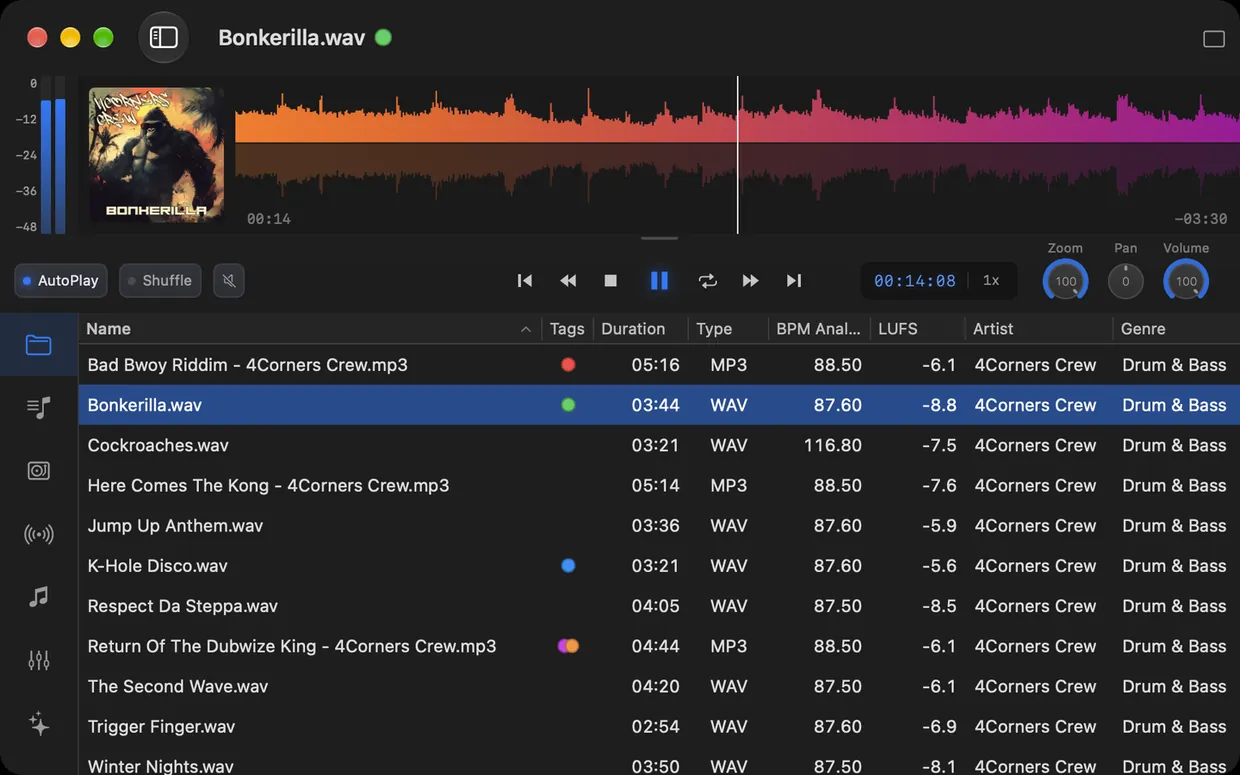
Two tracks with the same peak level can sound completely different in loudness. The level in dB only tells you how high the loudest peaks are. How loud we perceive a song is measured in LUFS (Loudness Units relative to Full Scale). Streaming services, broadcasters and podcast platforms all go by this measure.
With version 6, Ampado PRO measures loudness by itself. You see the LUFS value and the True Peak of every track right in the file list, can sort by them and follow the loudness in real time during playback. No plugin or DAW required.
What you can use loudness analysis for
- •Checking your own mixes and masters. Are your bounces as loud as planned? Does the True Peak stay below the limit you set?
- •Preparing DJ sets. Sort your tracks by LUFS and see at a glance which songs are much quieter or louder than the rest.
- •Getting ready for streaming. Streaming services normalize loudness, Spotify and YouTube for example to around -14 LUFS. You see beforehand how much your track will be adjusted.
- •Podcasts and voice recordings. Check that all episodes are equally loud before you upload them.
How Ampado measures loudness
- 1.Open a folder or a playlist. Ampado analyzes the files in the background and caches the results, so next time they are there instantly.
- 2.Show the LUFS and True Peak columns in the list view. Click the column header to sort by loudness.
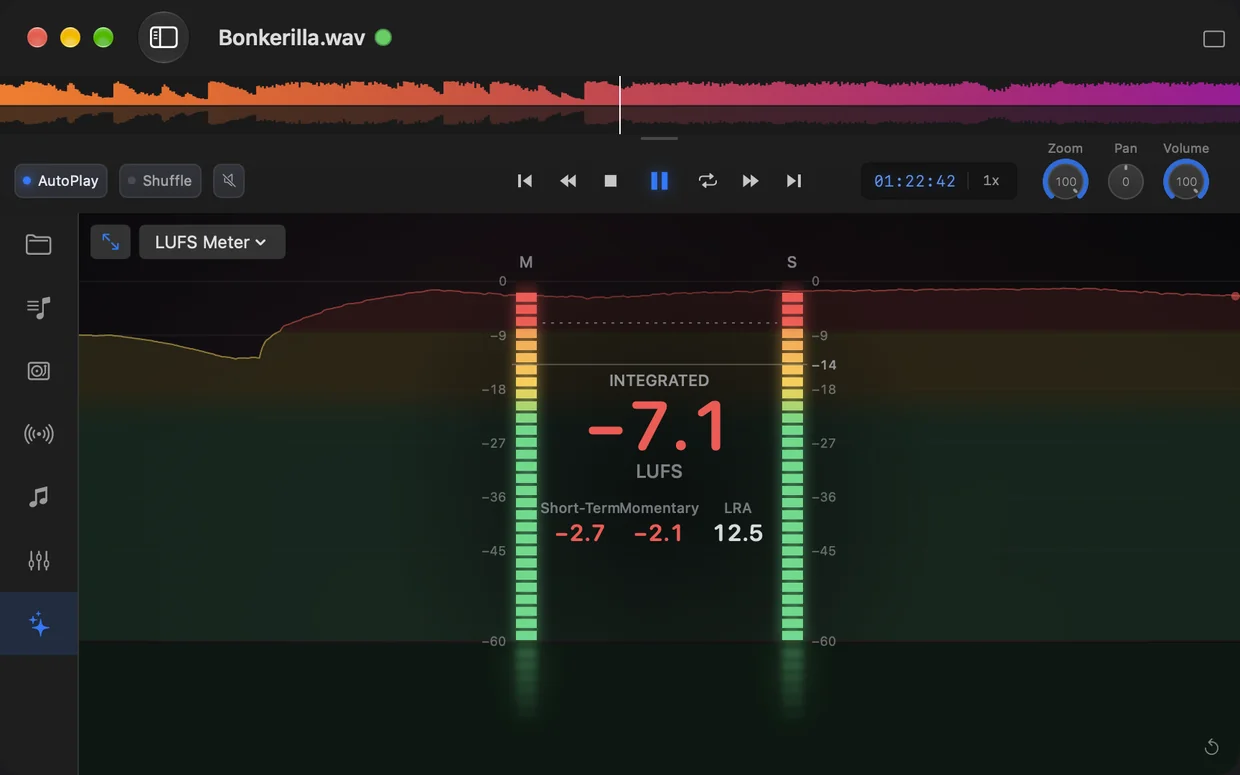
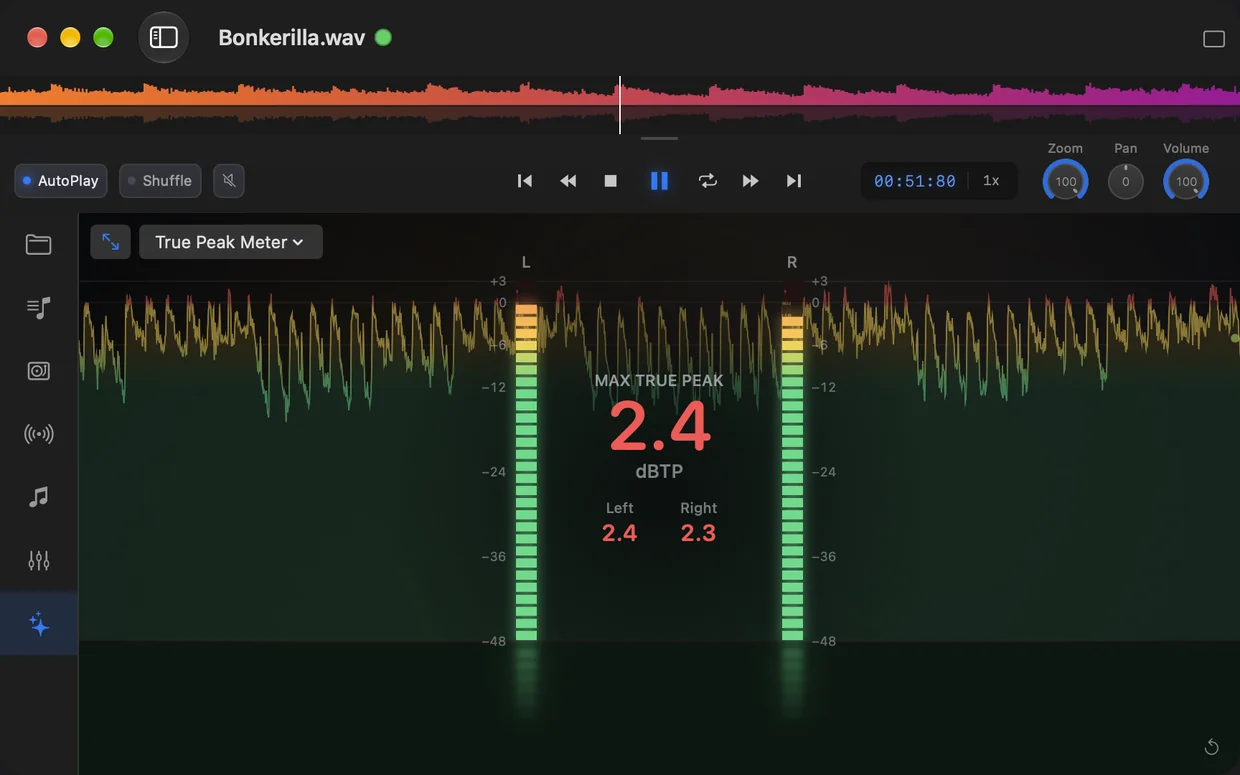
- 3.During playback, the real-time meters in Visuals show Momentary, Short-Term, Integrated, Loudness Range and True Peak.
- 4.Combine the columns with BPM, genre or tags and use the search to quickly find what you need.
The analysis runs on your Mac. Your files are not uploaded and not changed, Ampado only reads them.
What the values mean
Integrated is the average loudness over the entire track and the most important value for comparison. Short-Term measures over the last three seconds, Momentary over the last 400 milliseconds. Loudness Range (LRA) shows how much the loudness varies over time, in other words how dynamic a track is.
True Peak measures the actual peaks of the signal, including those between samples. Many platforms recommend staying below -1 dBTP so the audio does not distort when converted to MP3 or AAC. Together with the waveform, you see exactly where a track gets loud.
Frequently asked questions
What is LUFS?
LUFS stands for Loudness Units relative to Full Scale. It is a measure of perceived loudness based on the ITU-R BS.1770 and EBU R 128 standards. Unlike the plain peak level, LUFS takes into account how the human ear perceives different frequencies.
How loud should my track be?
That depends on where it is going. Spotify and YouTube normalize to around -14 LUFS, Apple Music to around -16 LUFS. For broadcasting in Europe, EBU R 128 sets a target of -23 LUFS. Ampado shows you the value, the decision is yours.
Does Ampado change my files?
No. Ampado only measures. Your files stay unchanged, the results are cached in Ampado.
Can I sort by LUFS?
Yes. LUFS and True Peak are regular columns in the file list and in playlists. Click the column header to sort your tracks from quiet to loud or the other way round.
Is loudness analysis included in the free version?
No, loudness analysis is part of Ampado PRO, a one-time purchase with no subscription. The free version, Ampado (lite), includes the waveform, internet radio and Apple Music.
Part of Ampado PRO
Loudness analysis is included in Ampado PRO from version 6. One-time purchase for $7.99, no subscription. If you already own PRO, you get it with the free update.
Rather have music than numbers? The Auto DJ mixes your songs automatically. All new features of version 6 are on the home page.