Tag Editor Update: Better Multi-Editing
When editing multiple files, you now use checkboxes to decide which metadata gets saved. Everything else stays exactly as it was.
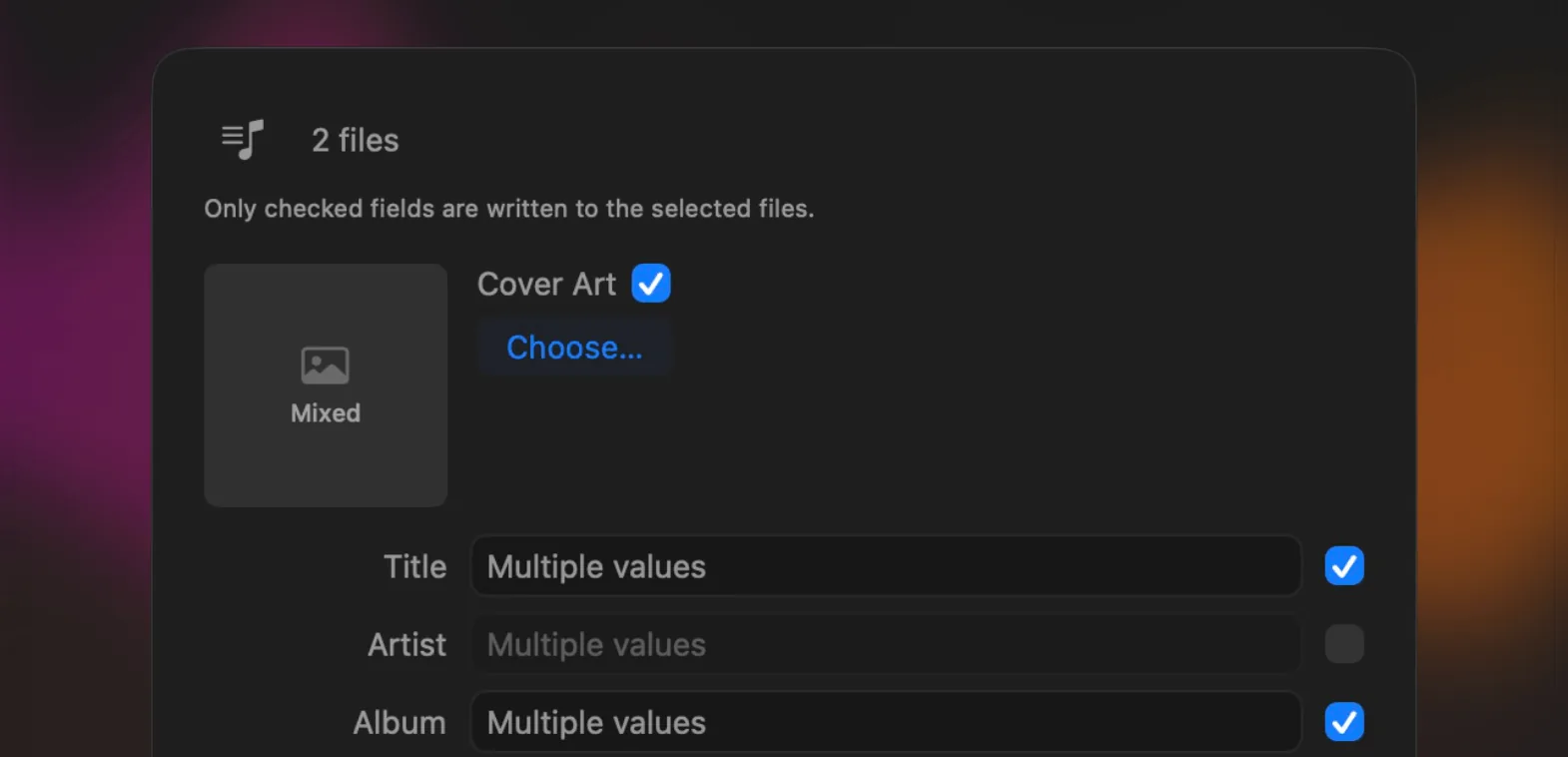
The Tag Editor in Ampado PRO with checkboxes for multi-editing
With the Tag Editor, you edit title, artist, album, cover and other metadata directly in Ampado PRO, even for many files at once. This update significantly improves exactly that multi-editing.
Until now, saving multiple files could overwrite metadata you never meant to change. That is now a thing of the past.
Checkboxes Decide What Gets Saved
When you select multiple files and open the Tag Editor, there is a checkbox next to every field. Only the checked fields are written to the selected files when you save. All other metadata of each file stays untouched.
You don't even have to think about the checkboxes yourself: as soon as you type something into a field, it is checked automatically. If you decide not to apply a field after all, simply uncheck its checkbox again. This works for title, artist, album, album artist, composer, genre, year, track, disc, comment and the cover too.
Shared and Different Values at a Glance
The Tag Editor now shows you exactly what the selected files have in common. If all files share the same value, such as the same album or the same year, it appears right in the field. If the values differ, the field stays empty and shows the hint “Multiple values”.
That way you can give a whole album the same artist, the same genre and the same cover in just a few clicks, while each song keeps its own title and track number. You can also set or remove a cover for all files in a targeted way.
How to Open the Tag Editor
Select one or more files and open the Tag Editor from the context menu, from the menu bar or with the shortcut SHIFT+CMD+I. When you edit just a single file, there are no checkboxes and everything is saved as usual. You can find everything else about the Tag Editor, from cover art to the supported formats, in our article Edit MP3 Tags on Your Mac.
An Ampado PRO Feature
The Tag Editor with improved multi-editing is part of Ampado PRO. The free version (lite) includes the full player, but not the Tag Editor. Ampado PRO is a one-time purchase with no subscription, available on the Mac App Store.